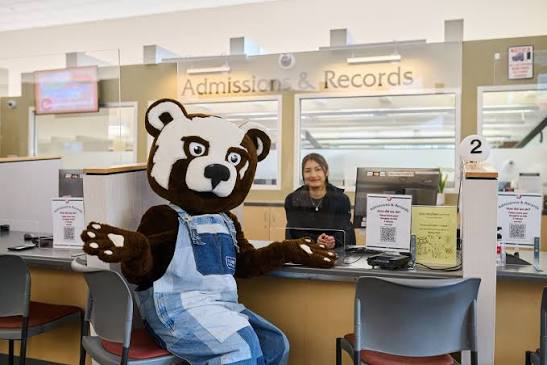
- New and returning High School Dual Enrollment Students
Step 1: Apply
Create an account through CCCApply and complete the SRJC Admissions Application. Note: High school students who maintain continuous enrollment from term to term no longer need to reapply for admission. However, when a student graduates from high school they will need to reapply as a high school graduate so they can enroll as a regularly admitted college student.
Experiencing technical issues with your online application?
Get Support: 1-877-247-4836 or support@openccc.net
Please make sure the information that you provide on your online application is accurate and error-free. Keep a record of your application confirmation number in case you have problems logging into the SRJC Bear Cub HubAfter you have completed your application, we will send you an e-mail with your unique SRJC Student Identification Number (SID). Please keep a record of your SID number as you would any other important identification number. Your SID number provides access to all of your interactions at SRJC. You will also receive information for your next steps for enrollment, as well as any other messages that may be important to your status as a student at Santa Rosa Junior College.
Step 2: Parent/Guardian Consent Form
Have your parent or guardian complete the Parent/Guardian Consent Form to authorize your attendance at SRJC.
Step 3: Meet with your High School Counselor
Talk with your high school counselor to identify the best courses for you.
Step 4: Access your Bear Cub Hub and understand your placement
You will need to login to your Bear Cub Hub to register for classes, access future communication with the college, learn about your English and Math placement and more.Note: Assessment for placement is one of the critical steps to help students start on a successful pathway in college. It is also critical that you understand your placement options, and your rights to access transfer-level coursework. Learn More.
Step 5: Complete the High School Dual Enrollment Request Form
Complete the electronic High School Dual Enrollment Request Form.
Step 6: Check for approved High School Dual Enrollment overrides and your "Time ticket" (Priority Registration)
Make sure your High School Dual Enrollment overrides are approved under "Prepare for Registration" and "Registration Status" in your student dashboard card in the Bear Cub Hub. You will be able to register during your "Time ticket" if your Dual Enrollment overrides have been approved.
Login to the SRJC Bear Cub Hub to:
- Confirm your HS Dual Enrollment overrides have been approved
- Check your "Time ticket"
- Ensure that you meet pre-requisites.
Step 7: Register for Classes
During Priority Registration 6, or open registration, log in and register for classes under your student dashboard card in the Bearcub Hub.
Login to the SRJC Bear Cub Hub
Step 8: Get Ready to Start
Purchase supplies and books
Visit the SRJC Library Guide for High School Students
**Purchase your Student ID Card with CubCard Premium **(Optional)
**Purchase a student parking permit **(Optional)Additional Information
- Note: If you are taking an online class, prepare for your class NOW by reviewing Distance Education’s “For Students” page at: https://de.santarosa.edu/students
- Note to High School Students with Transferrable Credit: It is recommended that students with applicable transfer credit from other colleges review the How to meet course prerequisites/corequisites (FAQ).
- New and returning Home Schooled Students
Step 1: Apply
Create an account through CCCApply and complete the SRJC Admissions Application. Note: Home school students who maintain continuous enrollment from term to term no longer need to reapply for admission. However, when a student graduates high school they will need to reapply as a high school graduate so they can enroll as a regularly admitted college student.
Experiencing technical issues with your online application?
Get Support: 1-877-247-4836 or support@openccc.net
Please make sure the information that you provide on your online application is accurate and error-free. Keep a record of your application confirmation number in case you have problems logging into the SRJC Bear Cub Hub
After you have completed your application, we will send you an e-mail with your unique SRJC Student Identification Number (SID.) Please keep a record of your SID number as you would any other important identification number. Your SID number provides access to all of your interactions at SRJC. You will also receive information for your next steps for enrollment, as well as any other messages that may be important to your status as a student at Santa Rosa Junior College.Step 2: Parent/Guardian Consent Form
Have your parent or guardian complete the Parent/Guardian Consent Form to authorize your attendance at SRJC.
Step 3: Access your Bear Cub Hub and understand your placement
You will need to login to your Bear Cub Hub to register for classes, access future communication with the college, learn about your English and Math placement and more.Note: Assessment for placement is one of the critical steps to help students start on a successful pathway in college. It is also critical that you understand your placement options, and your rights to access transfer-level coursework. Learn More.
Step 4: Obtain Affidavit
Obtain a Private School Affidavit from the California Department of Education. Learn more.
NOTE: If a Private School Affidavit has NOT been filed, all of the following are required:
- Letter of release, (signed by the principal) from the school district of residence that specifically releases the student from compulsory attendance in the district’s K-12 system
- Student needs to provide a graded transcript from previous coursework, if available.
- A statement on official letterhead from the person in charge of the student’s academic coursework (preferably the public school counselor or principal) that the student is adequately prepared for, and can benefit from, advanced scholastic or vocational, degree-applicable college coursework. Parent may indicate this coursework if a school representative is unable to.
Step 5: Complete the High School Dual Enrollment Request Form.
Students enrolled in the Independent Study Program (ISP) through a district high school must obtain a signed high school dual enrollment form from their district high school.
Upload the private school affidavit when submitting the High School Dual Enrollment Request Form.
Step 6: Check for approved High School Dual Enrollment overrides and your "Time ticket" (Priority Registration)
Make sure your High School Dual Enrollment overrides are approved under "Prepare for Registration" and "Registration Status" in your student dashboard card in the Bear Cub Hub. You will be able to register during your "Time ticket" if your Dual Enrollment overrides have been approved.
Login to the SRJC Bear Cub Hub to:
- Confirm your HS Dual Enrollment overrides have been approved
- Check your "Time ticket"
- Ensure that you meet pre-requisites.
Step 7: Register for Classes
During Priority Registration 6, or open registration, log in and register for classes under your student dashboard card in the Bearcub Hub.
Login to the SRJC Bear Cub HubStep 8: Get Ready to Start
Purchase supplies and books
Visit the SRJC Library Guide for High School Students
**Purchase your Student ID Card with CubCard Premium **(Optional)
**Purchase a student parking permit **(Optional)Additional Information
- Note: If you are taking an online class, prepare for your class NOW by reviewing Distance Education’s “For Students” page at: https://de.santarosa.edu/students
- Note to High School Students with Transferrable Credit: It is recommended that students with applicable transfer credit from other colleges review the How to meet course prerequisites/corequisites (FAQ).
- Need help with the application process?
The Welcome & Connect Center can help you!